You have the artwork and the material sorted, then the order form asks: die-cut, kiss-cut or sheet? They sound like jargon, but the cut changes how your sticker peels, how premium it feels and what it costs. This short guide settles it. It is part of the custom stickers & decals guide.
The one-line answer
- Die-cut = cut through everything to the exact shape. One clean sticker. Most premium.
- Kiss-cut = cut only the vinyl, leaving a square backing. Easy to peel. Great for giveaways.
- Sheet (or kiss-cut sheet) = many small stickers on one backing. Cheapest per piece.
Die-cut, in detail
A die-cut sticker is cut all the way through the vinyl and the backing paper, following your artwork outline. You end up holding a single sticker shaped exactly like your logo or design, with no surrounding border.
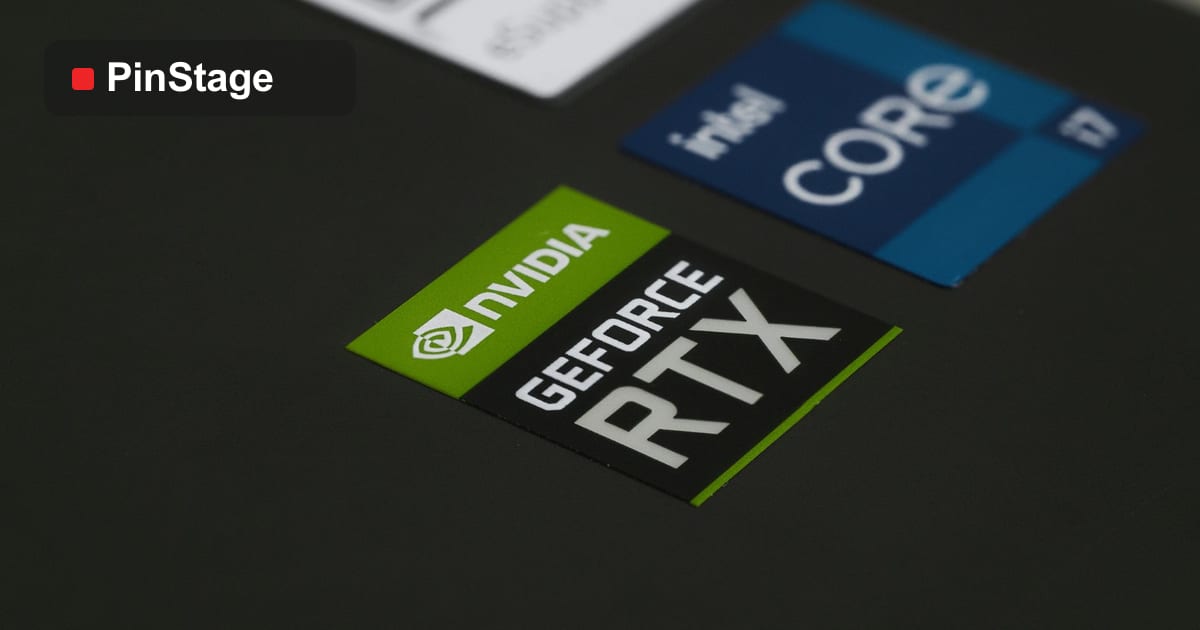
Use it for: product labels, premium brand stickers, decals where the shape is the design, and anything customers will see as a finished object. The computer die-cut sticker is the go-to here.
Trade-offs: slightly higher cost (the cutter follows a custom path), and small, intricate shapes can be fiddly to peel. Keep delicate spikes and thin necks out of the outline.
Kiss-cut, in detail
A kiss-cut "kisses" the vinyl — it cuts the sticker but leaves the backing square intact. You get your shaped sticker sitting on a square card.
Use it for: giveaways, sticker packs, laptop stickers and anything handed out in bulk. The square backing is easy to grip and peel, survives being tossed in a goodie bag, and gives you a margin to print a tiny logo or handle.
Trade-offs: the visible square border is less premium than a die-cut on a finished display.
Sheets — the budget option
A sheet puts many small stickers on one shared backing, each kiss-cut. It is the cheapest way to produce lots of small stickers (loyalty stamps, seals, price tags) and the easiest to store and distribute. The downside is they are not individual objects — people peel them off a shared sheet.
How a die-cut sticker is actually made
Knowing the steps helps you supply better files and spot problems early:
- Print the artwork onto vinyl, then laminate for protection.
- Cut along the CutContour path — die-cut blades go through the liner, kiss-cut only through the vinyl.
- Weed — remove the excess vinyl around each shape. Intricate shapes with thin necks are slow to weed and more likely to tear, which is why simple silhouettes are cheaper and cleaner.
- For applying many pieces in position (like wall lettering), transfer/application tape is laid over the top so the shapes lift off the liner together and transfer in one go.
The takeaway for your artwork: the simpler and chunkier the cut shape, the faster and cleaner the result.
Cost and quantity
Roughly, for the same artwork and material:
- Sheets — lowest cost per sticker, best for hundreds of small identical pieces.
- Kiss-cut singles — mid cost, best for handouts where peel-ability matters.
- Die-cut singles — highest cost, best where the finished look matters most.
Quantity always helps: setup is shared across the run, so 500 stickers cost far less per piece than 50. If your design includes lettering or many separate elements meant to sit in a fixed layout, ask for application tape so they apply as one piece rather than dozens.
The file you need to supply
Whatever the cut, the cutter needs to know the outline. Supply your artwork as vector with a separate path named CutContour (a spot colour) that traces the cut. For die-cut, that path is your shape; for kiss-cut, it is usually a rounded rectangle around the design. No cut line means we guess — so include it, or ask us to add one. The full prepress checklist is in print-ready file setup.
Shapes and sizes that actually work
The cut gives you freedom, but a few rules keep stickers easy to make and easy to peel:
- Keep a small margin between your artwork edge and the cut — 1–2 mm of "bleed" colour past the line stops a white sliver showing if cutting drifts slightly.
- Avoid ultra-thin necks and spikes on die-cut shapes; they tear on peel. Round sharp internal corners.
- Mind the minimum size. Very small die-cut shapes (under ~2 cm) are fiddly to weed and peel — kiss-cut or a sheet handles tiny stickers better.
- Simple silhouettes read best at a glance, especially on laptops and packaging seen in passing.
If in doubt, send the artwork and we will advise the cleanest cut for the shape.
Ordering: quantity, proofs and turnaround
A few practical notes that save a reprint:
- Order in round runs. Because setup is shared, 100, 250 and 500 are efficient break points; ordering 60 rarely costs much less than 100.
- Ask for a proof on anything with a custom cut or brand colour — a 2-minute check beats a wrong run.
- Group designs on a kiss-cut sheet to share setup across several artworks (great for sticker packs and event swag).
- Plan turnaround. Custom die-cutting adds a little time over plain rectangles; for events, order with a buffer, and if you are tight, ask about same-day options.
Real examples
- A café orders die-cut logo stickers for takeaway cups — the shape is the brand, so the borderless look matters.
- An event team orders a kiss-cut sheet of five mascot designs as giveaways — easy peel, easy to hand out, cheap per design.
- A workshop orders a sheet of small QR-code stickers for product packaging — hundreds of identical pieces at the lowest cost.
Quick decision guide
- Premium product or brand object, shape is the design → die-cut.
- Giveaways, sticker packs, easy peel → kiss-cut.
- Lots of small identical stickers, lowest cost → sheet.
Frequently asked questions
Is die-cut more expensive than kiss-cut? Usually a little, because the cutter follows a custom outline per design. For finished, customer-facing stickers the premium look is worth it.
Which is easier to peel? Kiss-cut — the square backing gives you an edge to grip. Tiny die-cut shapes can be fiddly.
Can I mix shapes on one sheet? Yes, on a kiss-cut sheet you can lay out different designs together to save cost.
Do I have to make the cut line myself? For custom shapes it is best if you supply a CutContour path; for simple shapes we can generate it. Tell us at checkout.
Ready to order? Compare the sticker range, or start with the die-cut sticker and request a quote for your size and quantity.